 6fae1cfbe5
* Include the mode change in the width of file header decorations

If the mode of a file changes, delta adds the change to the file header,
as in "src/delta.rs (mode +x)". With file-decoration-style "box", the top
and bottom edges of the box cover only "src/delta.rs ", so they are too
short for the text. With --width=variable, the underline is too short in
the same way.

This happens because the draw functions measure the text before they add
the mode change to it.

Measure the text that the draw functions write instead. Add
text_to_write() for this. It returns the raw text, or the painted text
with the mode change, and all draw functions now use it.

The box still has two spaces before "(mode +x)". This comes from the
space that callers add to the text for boxes, and this commit doesn't
change it.

Co-Authored-By: Claude Opus 5.5 (1M context) <noreply@anthropic.com>

* Keep decorations within the width given by --width

If a file path or a hunk header is wider than the terminal, its
decoration is drawn wider than the terminal too. The terminal then wraps
the lines of the decoration, and the header becomes hard to read
(#2043). This happens often in narrow terminals, and in lazygit, where
the diff gets only part of the screen.

The decorations grow with the text. An underline or overline is as wide
as --width, or as wide as the text if the text is wider. A box is always
as wide as the text. If --width isn't set, delta uses the terminal width.

Draw underlines and overlines exactly as wide as --width. Delta doesn't
wrap their text; the terminal still does this. If the text of a box is
too wide, wrap it inside the box so that the box is as wide as --width.
Lines break at any character, like they do in the terminal, and each
line keeps a space before the right edge of the box. Add ansi::wrap_str()
for the wrapping. If a style or a hyperlink is active where a line ends,
wrap_str() ends it there and starts it again on the next line.

With --width=variable, decorations still extend to the end of the text,
as the help text for --width says.

Three tests used text that is wider than the test width of 43 columns,
and they expected the decorations to grow with it. Give them a --width
that fits the text, so they still test the case they were written for.

Co-Authored-By: Claude Opus 5.5 (1M context) <noreply@anthropic.com>

* Explain why wrap_str does not reuse wrapping::wrap_line

* Merge text_to_write into paint_text, its only caller

* Fix submodule metadata snapshot: underlines no longer exceed --width

Run tests with: env -u OSC1717 cargo test

---------

Co-authored-by: Claude Opus 5.5 (1M context) <noreply@anthropic.com>
Co-authored-by: Dan Davison <dandavison7@gmail.com>




Get Started
Install it (the package is called "git-delta" in most package managers, but the executable is just delta) and add this to your ~/.gitconfig:
[core]
    pager = delta

[interactive]
    diffFilter = delta --color-only

[delta]
    navigate = true  # use n and N to move between diff sections
    dark = true      # or light = true, or omit for auto-detection

[merge]
    conflictStyle = zdiff3
Or run:
git config --global core.pager delta
git config --global interactive.diffFilter 'delta --color-only'
git config --global delta.navigate true
git config --global delta.dark true  # or `delta.light true`, or omit for auto-detection
git config --global merge.conflictStyle zdiff3
Delta has many features and is very customizable; please see delta -h (short help) or delta --help (full manual), or the online user manual.
Features
- Language syntax highlighting with the same syntax-highlighting themes as bat
- Word-level diff highlighting using a Levenshtein edit inference algorithm
- Side-by-side view with line-wrapping
- Line numbering
nandNkeybindings to move between files in large diffs, and between diffs inlog -pviews (--navigate)- Improved merge conflict display
- Improved
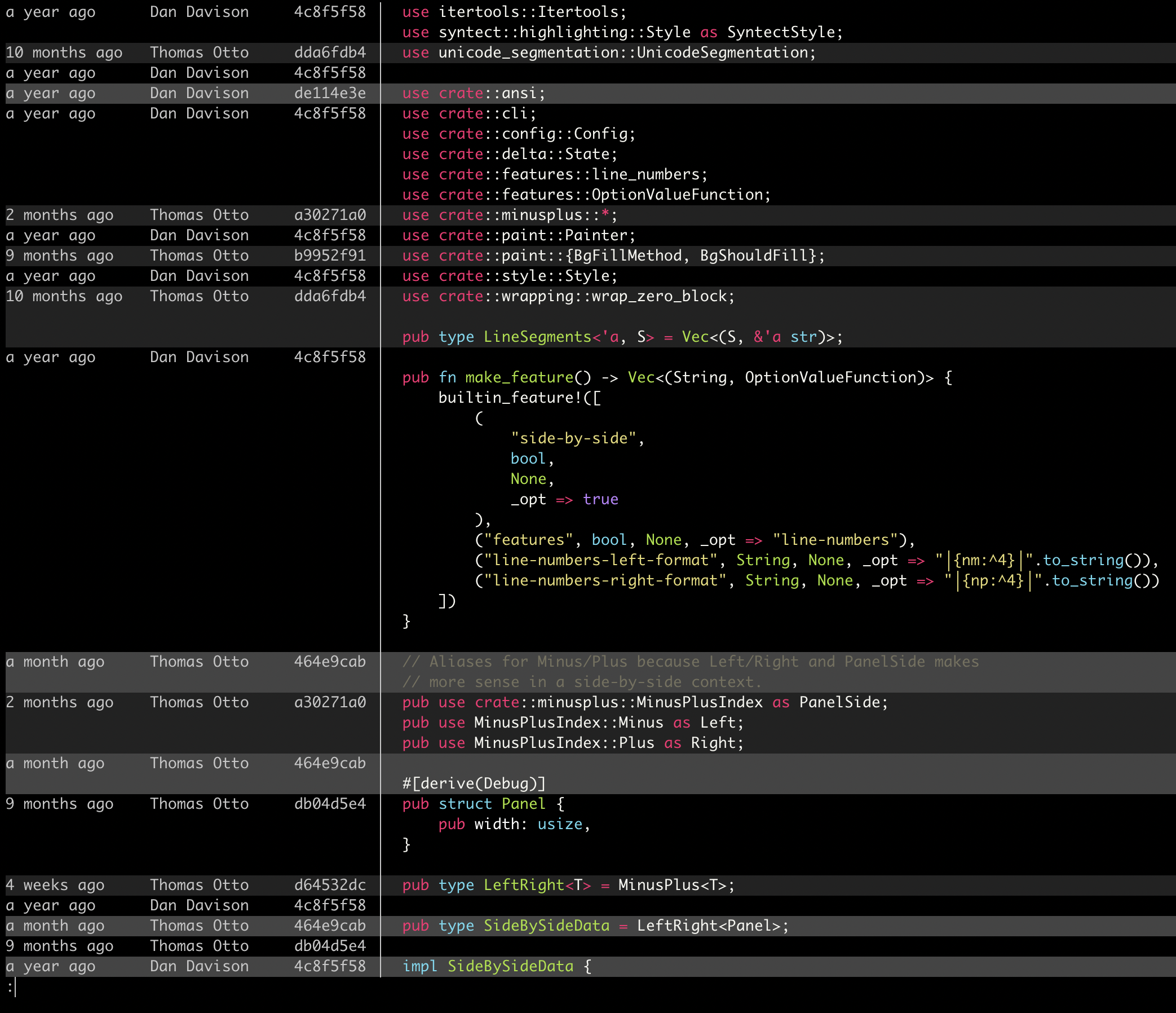
git blamedisplay (syntax highlighting;--hyperlinksformats commits as links to hosting provider etc. Supported hosting providers are: GitHub, GitLab, SourceHut, Codeberg) - Syntax-highlights grep output from
rg,git grep,grep, etc - Support for Git's
--color-movedfeature. - Code can be copied directly from the diff (
-/+markers are removed by default). diff-highlightanddiff-so-fancyemulation modes- Commit hashes can be formatted as terminal hyperlinks to the hosting provider page (
--hyperlinks). File paths can also be formatted as hyperlinks for opening in your OS. - Stylable box/line decorations to draw attention to commit, file and hunk header sections.
- Style strings (foreground color, background color, font attributes) are supported for >20 stylable elements, using the same color/style language as git
- Handles traditional unified diff output in addition to git output
- Automatic detection of light/dark terminal background
A syntax-highlighting pager for git, diff, and grep output
Code evolves, and we all spend time studying diffs. Delta aims to make this both efficient and enjoyable: it allows you to make extensive changes to the layout and styling of diffs, as well as allowing you to stay arbitrarily close to the default git/diff output.
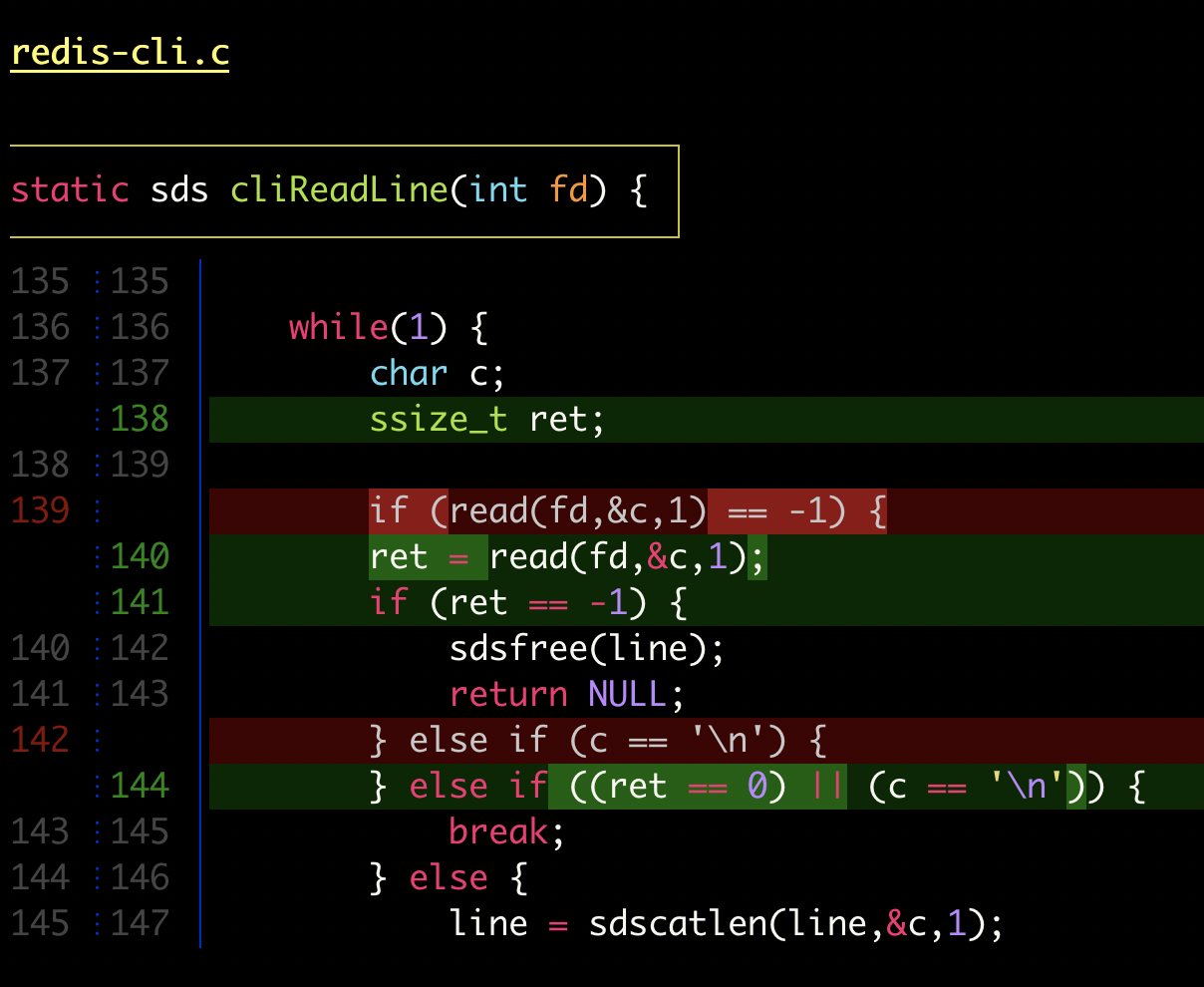
delta with |
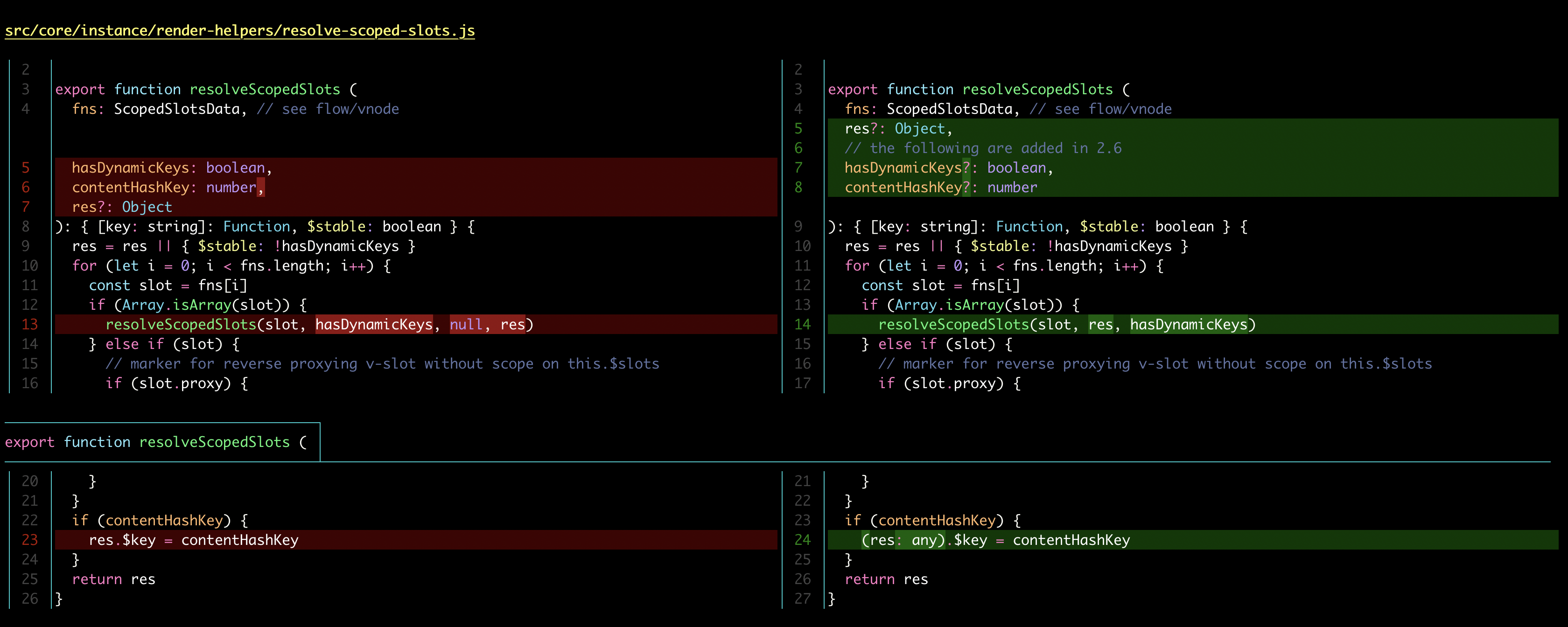
delta with |
Here's what git show can look like with git configured to use delta:

|

|
| "Dracula" theme | "GitHub" theme |
Syntax-highlighting themes
All the syntax-highlighting color themes that are available with bat are available with delta:

|

|
delta --show-syntax-themes --dark
|
delta --show-syntax-themes --light
|
Side-by-side view
[delta]
    side-by-side = true
By default, side-by-side view has line-numbers activated, and has syntax highlighting in both the left and right panels: [config]
|
Side-by-side view wraps long lines automatically:
 |
Line numbers
[delta]
    line-numbers = true
|
Merge conflicts
 |
Git blame
 |
Ripgrep, git grep
|
|
Installation and usage
Please see the user manual and delta --help.
