
qlImageSize
This is a QuickLook plugin for OS X 10.11+ to display the dimensions of an image and its file size in the title bar.

This plugin can also preview and generate Finder thumbnails for unsupported images formats like :


mdImageSize
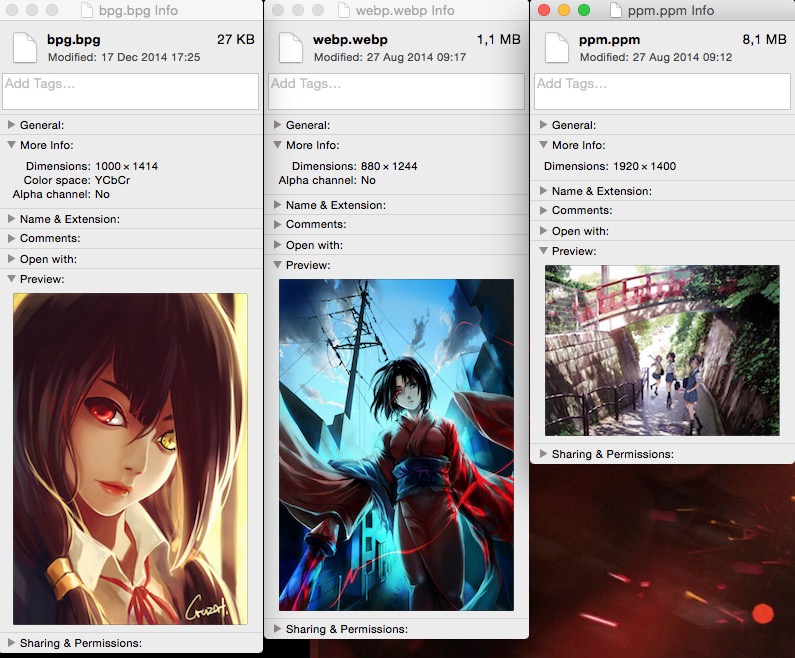
It's a Spotlight plugin to display informations of unsupported images (WebP, bpg, Portable Pixmap) in the Finder's inspector window.
Installation
- Download the
.pkginstaller here. - Open it.
- Follow the steps. (you will be asked for an admin password)
Uninstall
- Launch Terminal.app (in
/Applications/Utilities) - Copy and paste the following line into the Terminal :
sudo rm -rf "/Library/Application Support/qlimagesize" "/Library/QuickLook/qlImageSize.qlgenerator" "/Library/Spotlight/mdImageSize.mdimporter"
- Press Enter.
- Type your password and press Enter.
Limitations
If you are a Pixelmator user, its own QuickLook plugin might get in the way when previewing WebP files. To fix this you need to edit the file /Applications/Pixelmator.app/Contents/Library/QuickLook/PixelmatorLook.qlgenerator/Contents/Info.plist and remove the dict entry that handles webp.
License
qlImageSize is released under the Simplified BSD license, see LICENSE.
Twitter : @Nyx0uf