 Christian Wellenbrock
tmux-complete.vim
Vim plugin for insert mode completion of words in adjacent tmux panes
Motivation
If you're using Vim in tandem with Tmux you might be familiar with this pesky situation:
You're happily editing your lovely files in Vim, when you notice you need to type a word that you can see in a different Tmux pane right next to Vim. This might be some secret key found in your REPL or the name of a failing test.
Usually the interesting text is too short to warrant switching panes and going into Tmux' copy mode, so you end typing it out again.
But fear no longer!
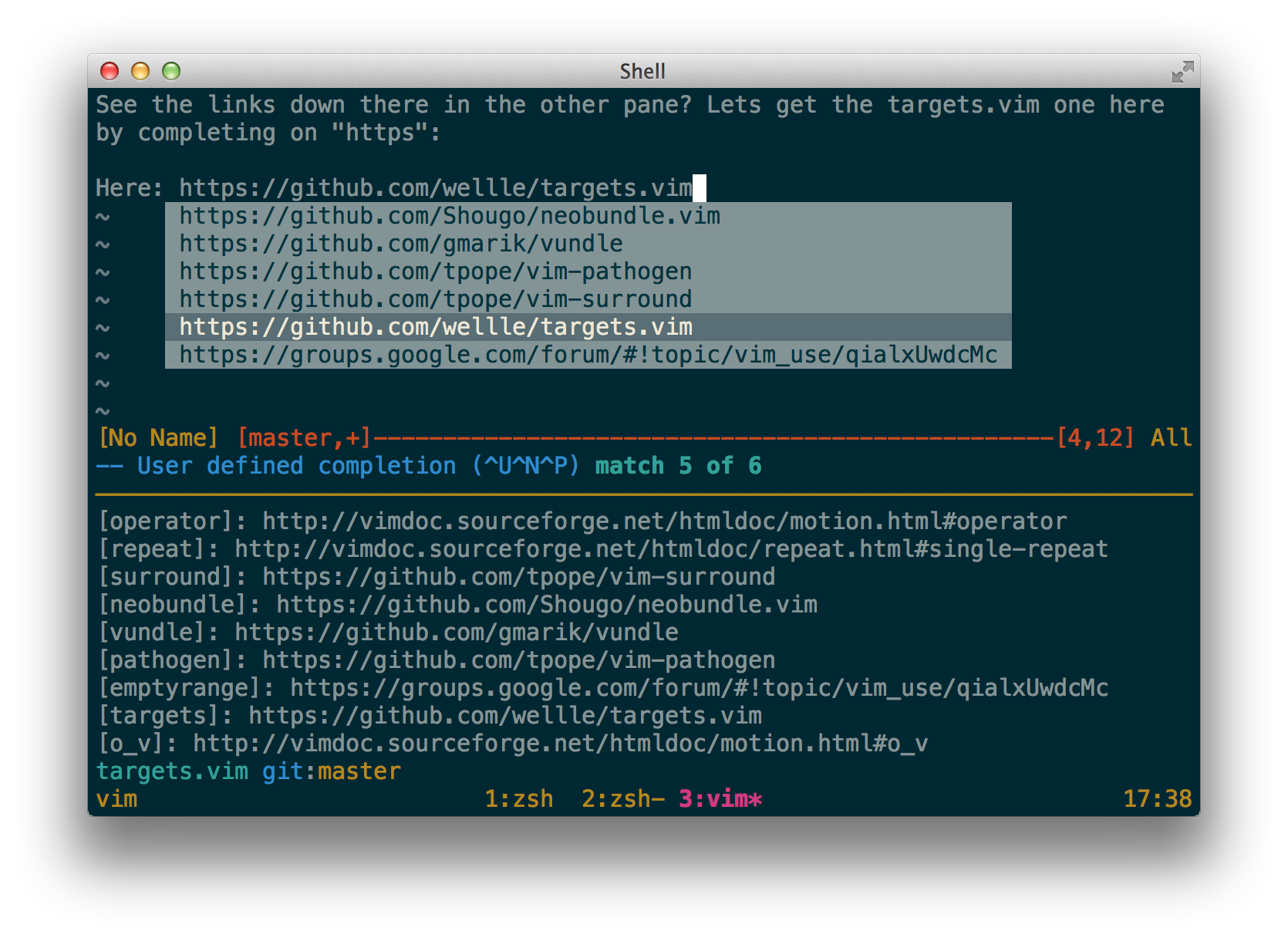
This plugin adds a completion function that puts all words visible in your Tmux
panes right under your fingertips. Just enter insert mode, start typing any
word you see and press <C-X><C-U> to the trigger user defined insert mode
completion.
Installation
Use your favorite plugin manager.
-
[NeoBundle][neobundle]
NeoBundle 'wellle/tmux-complete.vim' -
[Vundle][vundle]
Bundle 'wellle/tmux-complete.vim' -
[Pathogen][pathogen]
git clone git://github.com/wellle/tmux-complete.vim.git ~/.vim/bundle/tmux-complete.vim
Customization
The plugin assumes that it is located at ~/.vim/bundle/. If you installed it
somewhere else, please put this line in your .vimrc and adjust the path.
let g:tmux_complete_location = "/your/path/tmux-complete.vim"